Bot Connection
The scheme of the bot connection with the SimpleOne instance is as follows:
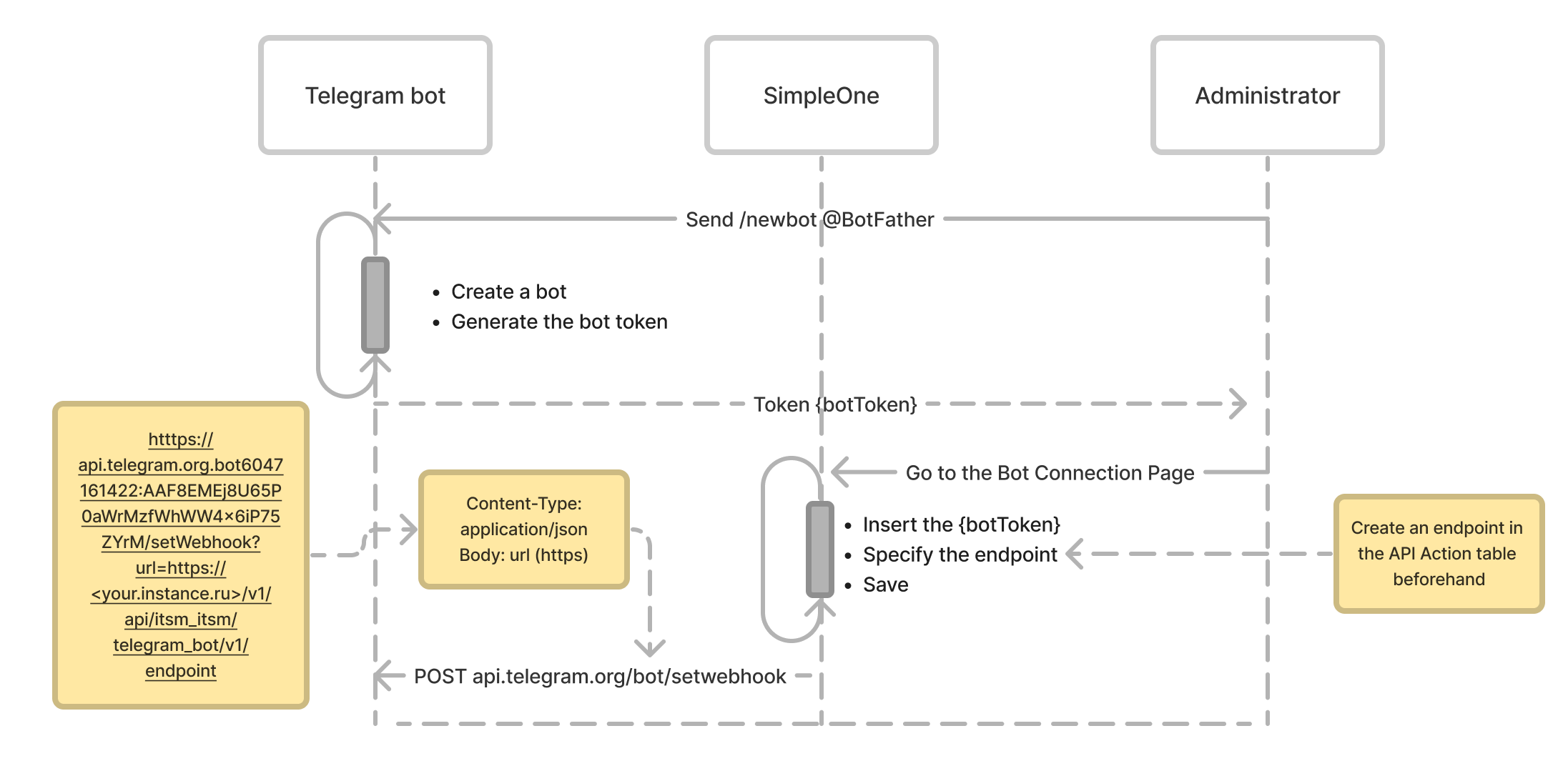
- To create a Telegram bot, the system administrator sends a command to @BotFather in Telegram. When the bot is successfully created, a bot token is generated.
- The administrator creates an endpoint in the API Action table. When a SimpleOne instance connects to a bot on the corresponding page, the previously generated bot token is used and the endpoint is specified.
- After saving, a request is sent to the Telegram bot with the setWebhook method to establish a connection. The endpoint URL is passed in the request.
The links for bot requests are formed based on the URL specified in the itsm.telegram_bot.url system property. By default, the Telegram Bot API is used.
User authentication
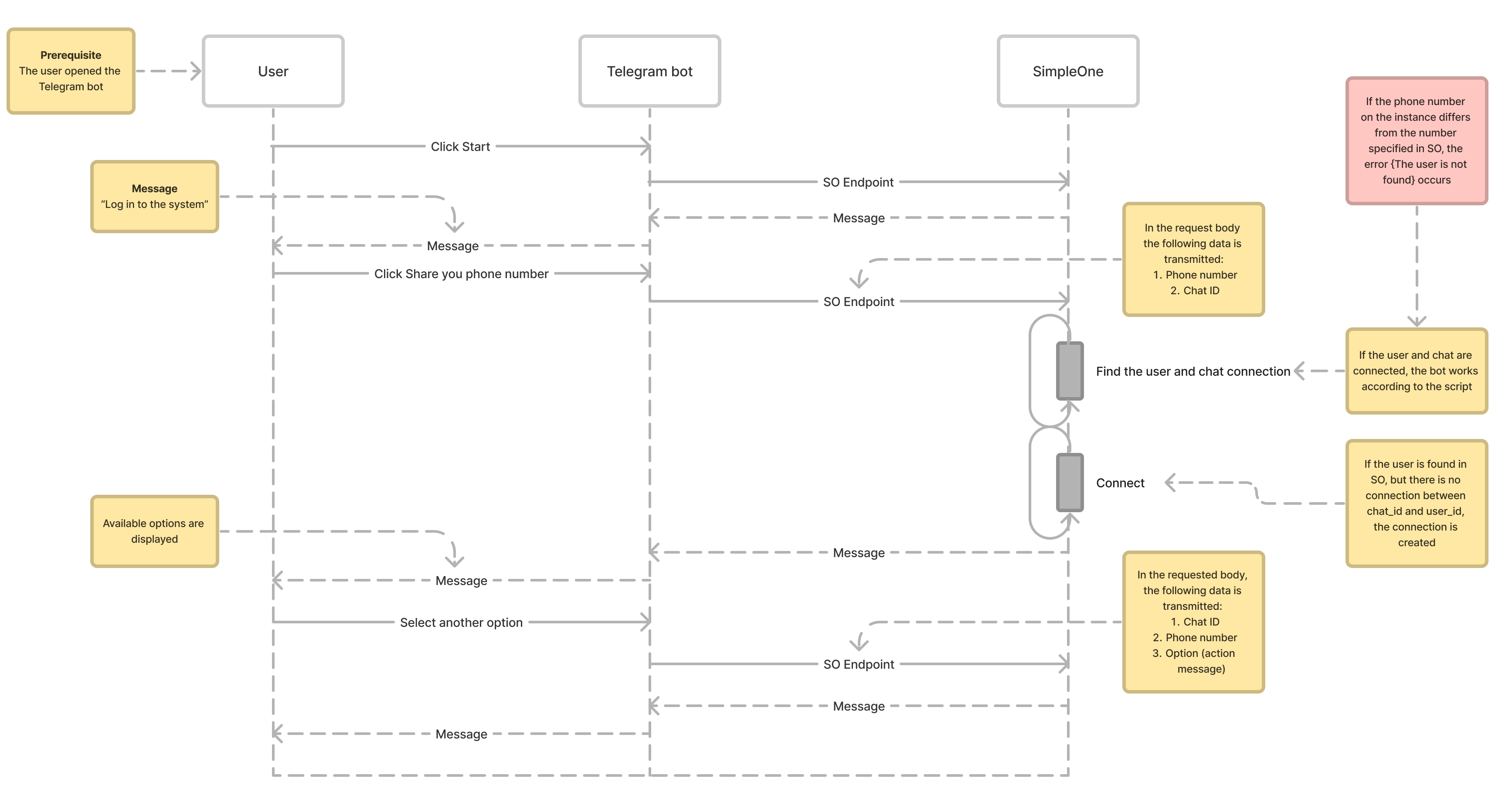
The algorithm for connecting users to the Telegram bot is as follows:
-
The user writes to the Telegram bot, a request comes to the endpoint.
Request body example
{"update_id":301617650,
    "message":{
        "message_id":34235,
        "from":{
            "id":1344171102,
            "is_bot":false,
            "first_name":"John",
            "last_name":"Doe",
            "username":"john.doe",
            "language_code":"en"
            },
        "chat":{
            "id":1322171102,
            "first_name":"John",
            "last_name":"Doe",
            "username":"john.doe",
            "type":"private"
            },
        "date":1676130018,
        "text":start"
    }
} -
Based on the chat ID, the instance checks whether there is a record that binds a user and chat in the Telegram Chat Bindings with Users (itsm_telegram_chat_bindings_with_users) table.
- If there is a corresponding record, the bot proceeds according to the script.
-
If there is no record, the Share your phone number button appears in the Telegram bot. Clicking it sends a request with the key contact and phone_number to the endpoint. The system searches for a user record with this phone number. When the record is found, a record is created in the Telegram Chat Bindings with Users (itsm_telegram_chat_bindings_with_users) table.
If there is no user on the instance with the phone number specified in Telegram, the bot displays the following message:
The number is not registered in the system. Log in from another number or contact support {support email}
If the user account is inactive or locked out, the bot displays the following message:
The account is not active. Contact support {support email}