Configuration Packages
The VCS records enable data transfer from one instance to another in an automatic or semi-automatic way. You can import a configuration pack to avoid recreation of changes on every instance. This method ensures an easy update migration between instances.
For example, your team has created a new application on a development instance. Instead of copying the scripts and recreating all elements one by one manually, they assemble a configuration pack and import it to the production instance. While importing this pack into the target instance, the system checks the changes for possible collisions. This procedure ensures a stable process for the system update.
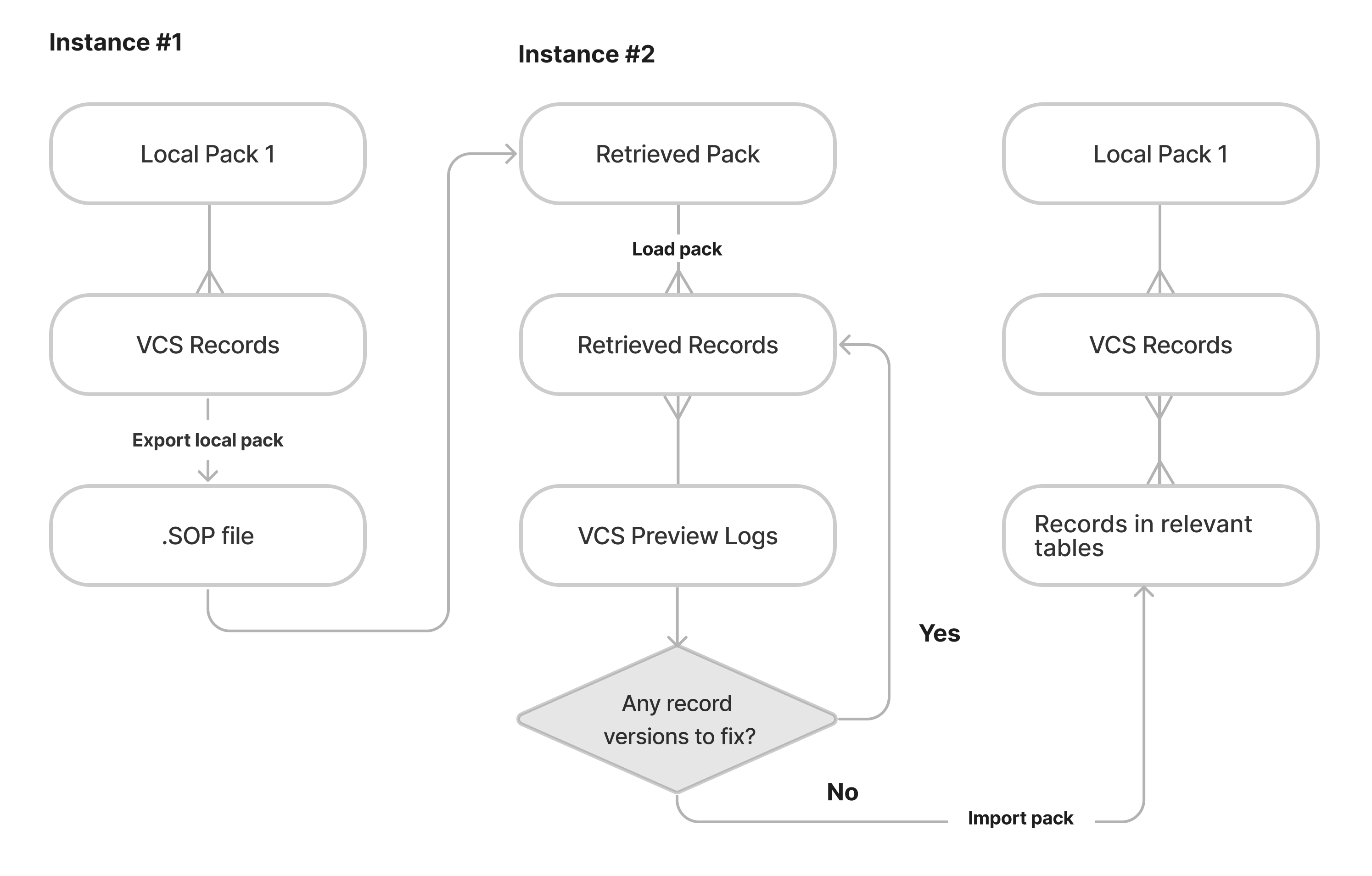
Configuration pack flow
Role required: admin.
Good practice is to develop new applications and implement changes into existing ones on a separate instance. This reduces the number of possible mistakes and risks for everyday processes on the production instance. Therefore, the VCS records should be collected into one local pack within the relevant application.
There are two types of the packages:
- Local – to collect changes on the current instance.
- Retrieved – to apply the changes that were transferred from another instance.
The configuration management involves two main processes:
- Preparation and export of the configuration change – collecting the VCS records into a local pack on Instance #1, as a result the local pack changes its state to Completed and a SOP file is created.
- Import and deployment – uploading and deployment of the previously prepared configuration pack on Instance #2.
Configuration Packages Management widget
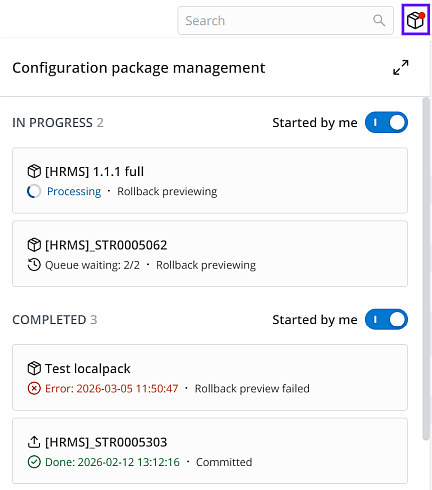
You can track the processing state of local and retrieved configuration packages in the Configuration package management widget, located to the right of the search box in the agent interface. The system also sends toast notifications and displays a red marker on the widget icon when a package upload is complete.
The widget displays cards with information about configuration packages currently being uploaded, rolled back, or completed. You can view all packages in the package manager or filter for only those you started. To do so, activate the Started by me toggle.
You can define the number of configuration packages that can be processed simultaneously in the platform.vcs.sop_process_quantity system property.
You can also specify the frequency the client sends requests to the server to update the processing state of the packages in the platform.vcs.sop_check_status system property.