Submit Time Spent
In SimpleOne, there are two ways to submit time spent on tasks or other activities:
Submit time spent from a task form
tip
This method allows to submit time spent on tasks only. To submit time spent on other activities, use the Timesheet page.
You can submit time spent on a task from its form. To do so, complete the steps below:
-
Open the record of the task you work on.
-
Click Specify Time Spent in the top right corner.
-
A modal window appears where you can specify the time spent on the task and add a comment.
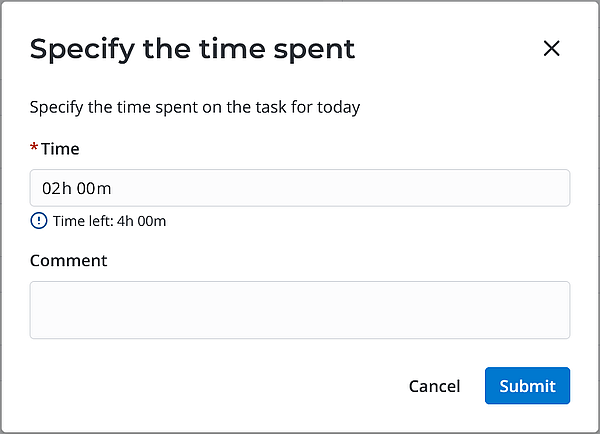 info
info- You can only specify the time spent on a task during the current day.
- If you click Specify Time Spent on a task you have already submitted time spent for the current day, the modal window fields will contain the previously specified values. You can adjust them, if required.
-
Click Submit.
After your entry is successfully submitted:
- The message
Time spent is savedpops up. - A time entry record is created or updated.
- The specified time and comment are transferred to the respective fields of the timecard for the current week. If this is the first time you submit time spent on this task on the current week, a new timecard will be created automatically.
- The specified time and comment are transferred to the timesheet for the current week.
Review submitted time
To review the time spent by you or your subordinate employees do one of the following:
- Use the timesheet page.
- View the timecard.
- Open the list of time entries.